Hardware Requirements
Previous: Raspberry Pi Infrastructure Intro
Before diving into the software setup, let's talk about what you'll need hardware-wise. The good news? It's a short list and won't break the bank!
Github Repository
All the Ansible configurations and setup scripts from this guide series are available in https://github.com/IaC-Toolbox/iac-toolbox-raspberrypi. Feel free to clone it and follow along!
┌─────────────────────────────────────────────────────────┐
│           COMPLETE RASPBERRY PI SETUP                   │
├─────────────────────────────────────────────────────────┤
│                                                         │
│  ┌────────────────────────────────────────────┐        │
│  │    Raspberry Pi 4B (4GB or 8GB RAM)        │        │
│  │    • ARM64 CPU                             │        │
│  │    • 4 USB ports                           │        │
│  │    • Gigabit Ethernet                      │        │
│  │    • WiFi + Bluetooth                      │        │
│  └─────────────┬──────────────────────────────┘        │
│                │                                        │
│  ┌─────────────▼──────────────┐  ┌──────────────────┐  │
│  │    microSD Card            │  │   Power Supply   │  │
│  │    • 32GB minimum          │  │   • 5V/3A USB-C  │  │
│  │    • 128GB recommended     │  │   • Official     │  │
│  │    • Class 10 or U3        │  │   • Required!    │  │
│  └────────────────────────────┘  └──────────────────┘  │
│                                                         │
│  ┌────────────────────────────────────────────┐        │
│  │         OPTIONAL COMPONENTS                │        │
│  │  • Case with cooling (recommended)         │        │
│  │  • Ethernet cable (better than WiFi)       │        │
│  │  • Micro HDMI + keyboard (troubleshooting) │        │
│  └────────────────────────────────────────────┘        │
└─────────────────────────────────────────────────────────┘

        Total Cost: $70-120 (one-time purchase)
        vs Cloud: $360-480/year recurring
Required Hardware
Raspberry Pi 4B
The heart of your infrastructure. I recommend the 4GB or 8GB RAM version:
- 4GB RAM: Good for personal projects, light Docker workloads, and learning
- 8GB RAM: Better for multiple containers or heavier applications
You can buy it from various retailers. Prices typically range from $50-80 depending on RAM.
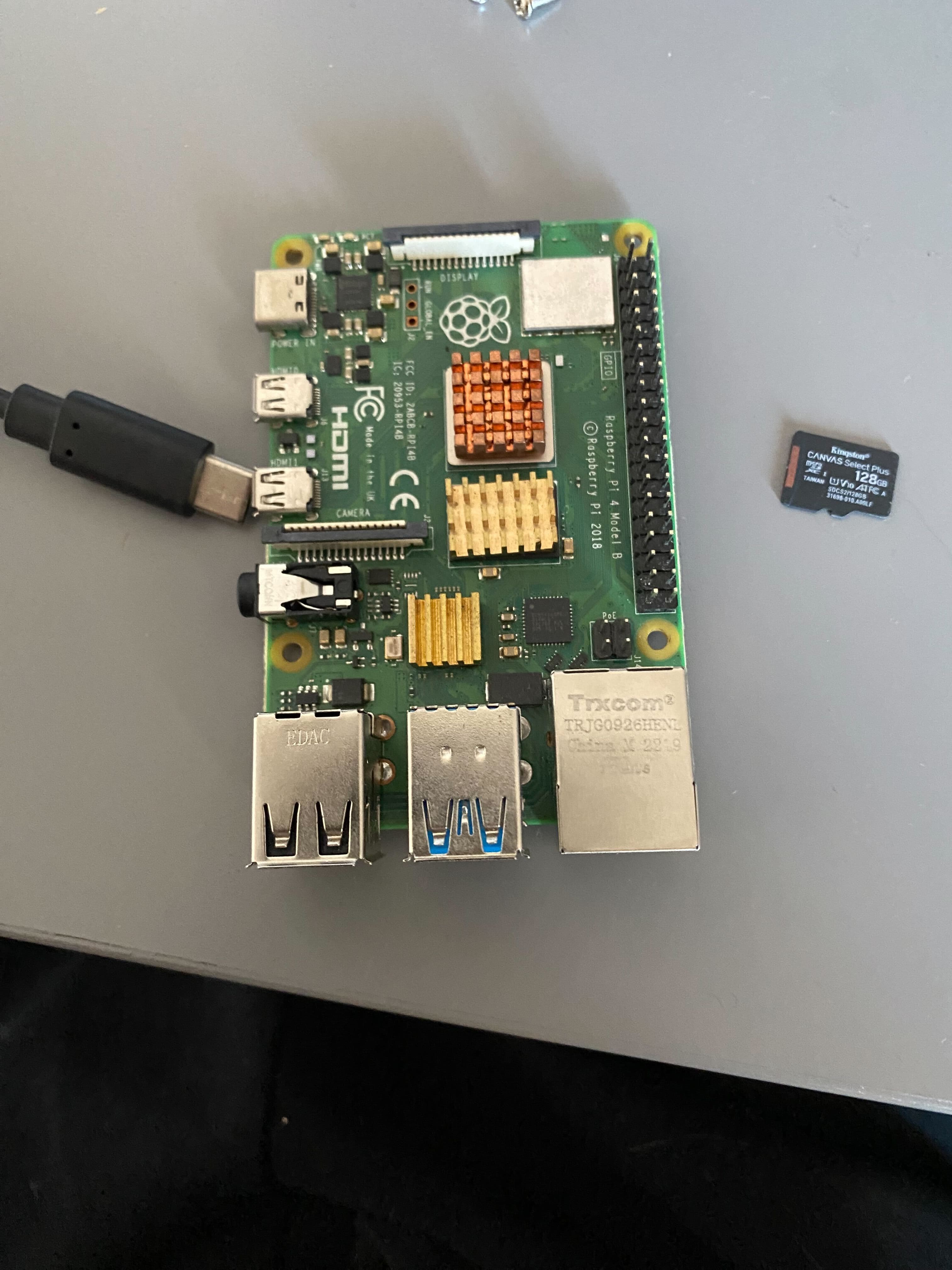
MicroSD Card
This will hold your operating system and all data:
- Capacity: 32GB minimum, 64GB or 128GB recommended
- Speed: Class 10 or better (U3 is ideal)
- Brand: Stick with reliable brands like SanDisk, Samsung, or Kingston
Recommendation: Kingston 128GB microSD Card - reliable and fast
Why larger is better? Docker images, logs, and application data add up quickly. A 128GB card gives you breathing room.
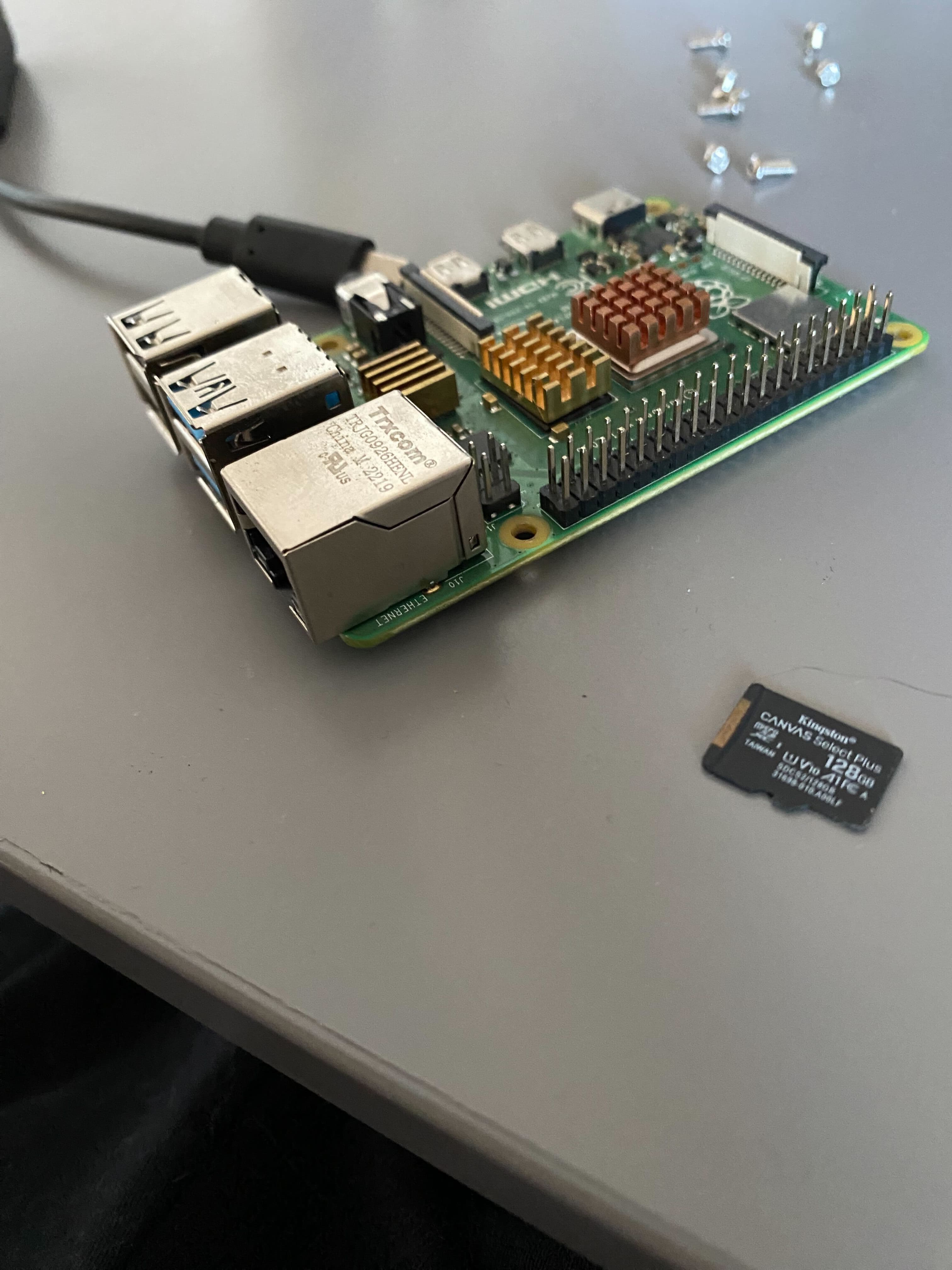
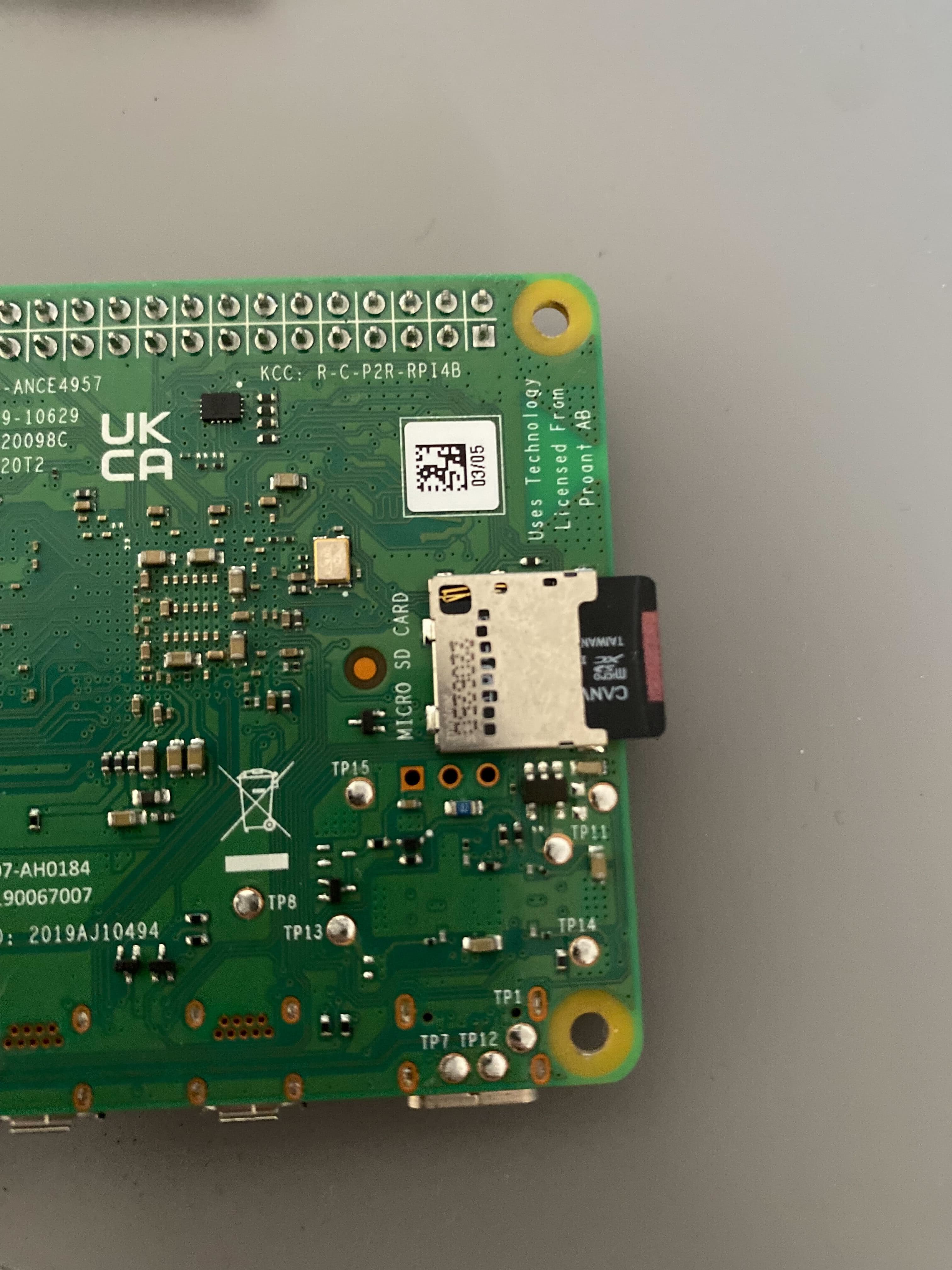
Once you have your microSD card flashed with the OS, simply insert it into the Pi:
Power Supply
The official Raspberry Pi power supply is your safest bet:
- Official: 5V/3A USB-C power supply with the Raspberry Pi logo
- Why official?: Raspberry Pi 4B can be picky about power. Cheap adapters cause random crashes and corruption.
Don't cheap out here - a bad power supply will cause endless headaches!
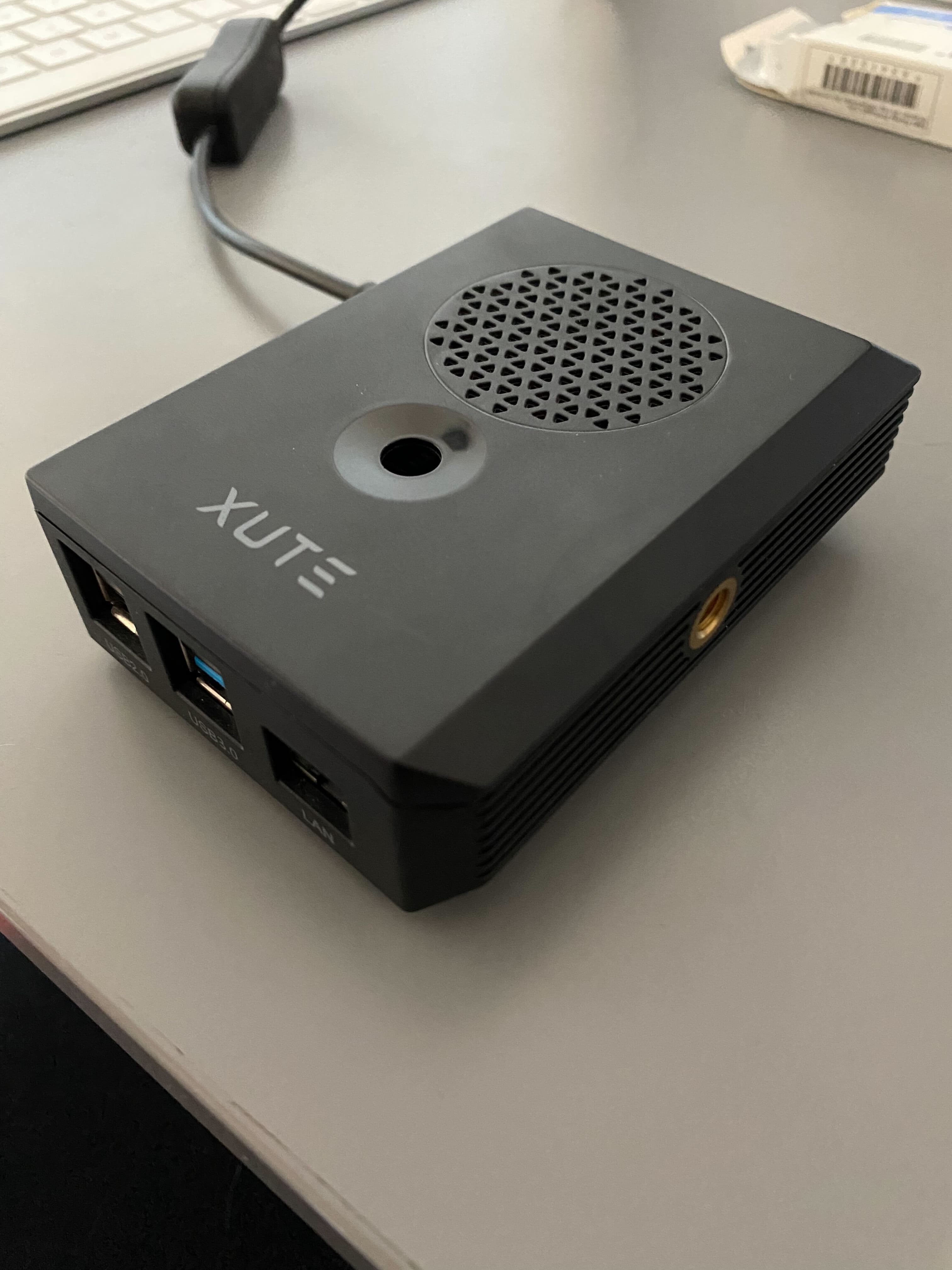
Case (Optional but Recommended)
Protect your Pi from dust, accidents, and curious fingers:
- Basic cases: $5-10, provides physical protection
- Cases with cooling: $10-20, includes heatsinks or fans
- Example: Raspberry Pi Case with Cooling
For 24/7 operation, get one with passive cooling (heatsinks) or a small fan.
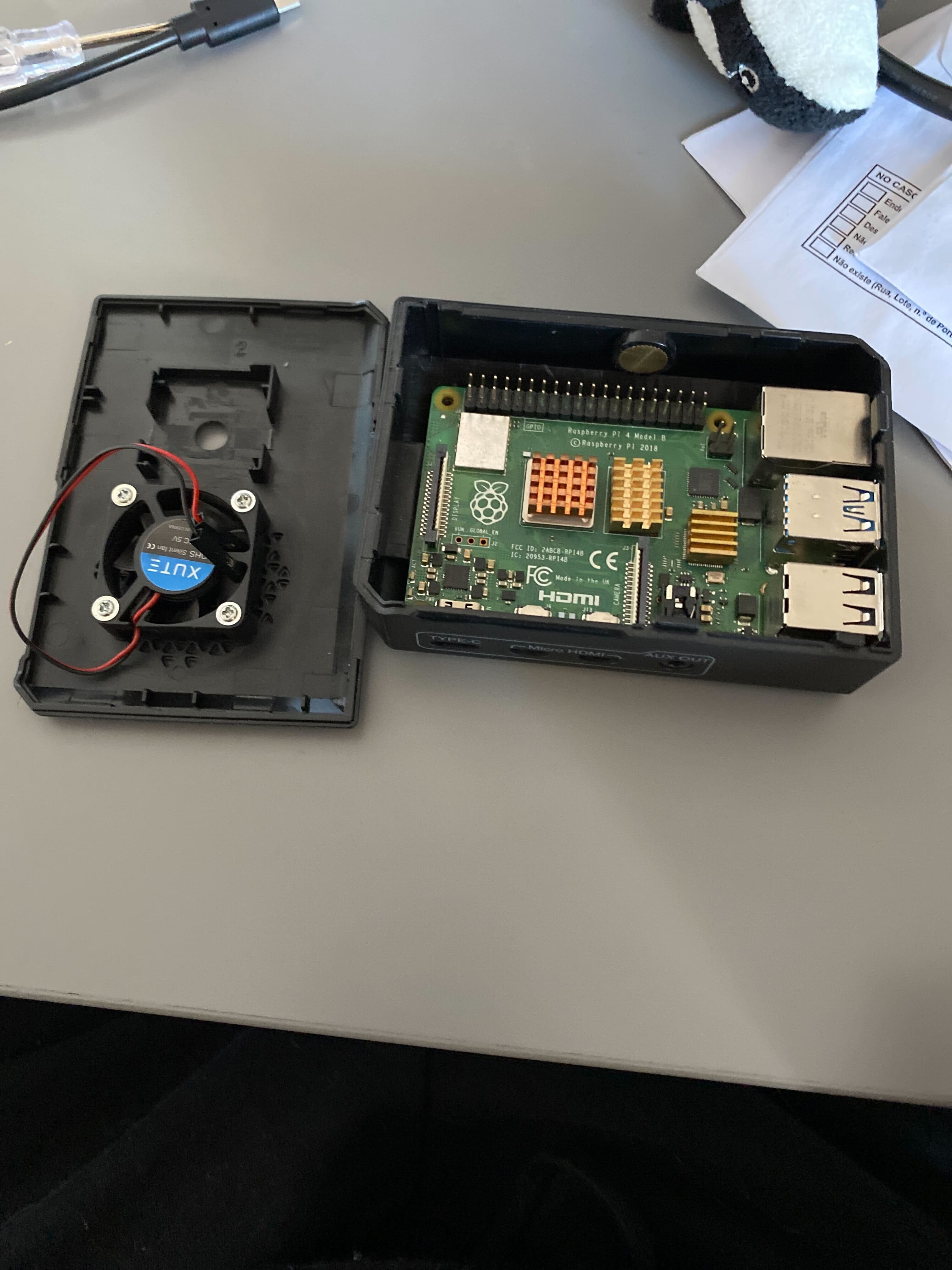
Here's what it looks like when assembled and closed:
Optional but Useful
Ethernet Cable
While WiFi works, wired Ethernet is:
- More reliable
- Lower latency
- Better for 24/7 operation
If your Pi will be near your router, use Ethernet!
Micro HDMI Cable
Only needed for initial troubleshooting. Once SSH is working, you won't need it.
USB Keyboard
Same as above - just for initial setup if SSH doesn't work immediately.
Total Cost Breakdown
Let's talk numbers:
Minimal Setup (~$70-90):
- Raspberry Pi 4B (4GB): $55
- 32GB microSD card: $8
- Official power supply: $8
- Basic case: $5
Recommended Setup (~$100-120):
- Raspberry Pi 4B (8GB): $75
- 128GB microSD card: $15
- Official power supply: $8
- Case with cooling: $15
- Ethernet cable: $5
Compare this to cloud costs of $360-480/year, and you see why this makes sense!
What You Don't Need
Monitor: This is a headless setup - no display needed!
Mouse: SSH access only - save your money.
USB Hub: The Pi 4B has enough ports for most setups.
Expensive Storage: A good microSD card is fine. Don't spend extra on M.2 SSDs unless you need extreme performance.
Before You Buy
Check availability: Raspberry Pi stock can be limited. Check multiple retailers.
Bundle deals: Sometimes buying a kit (Pi + power + case + SD card) is cheaper than individual parts.
Used Pi: If buying used, test it thoroughly - damaged GPIO pins or faulty power circuitry isn't worth the savings.
Next Steps
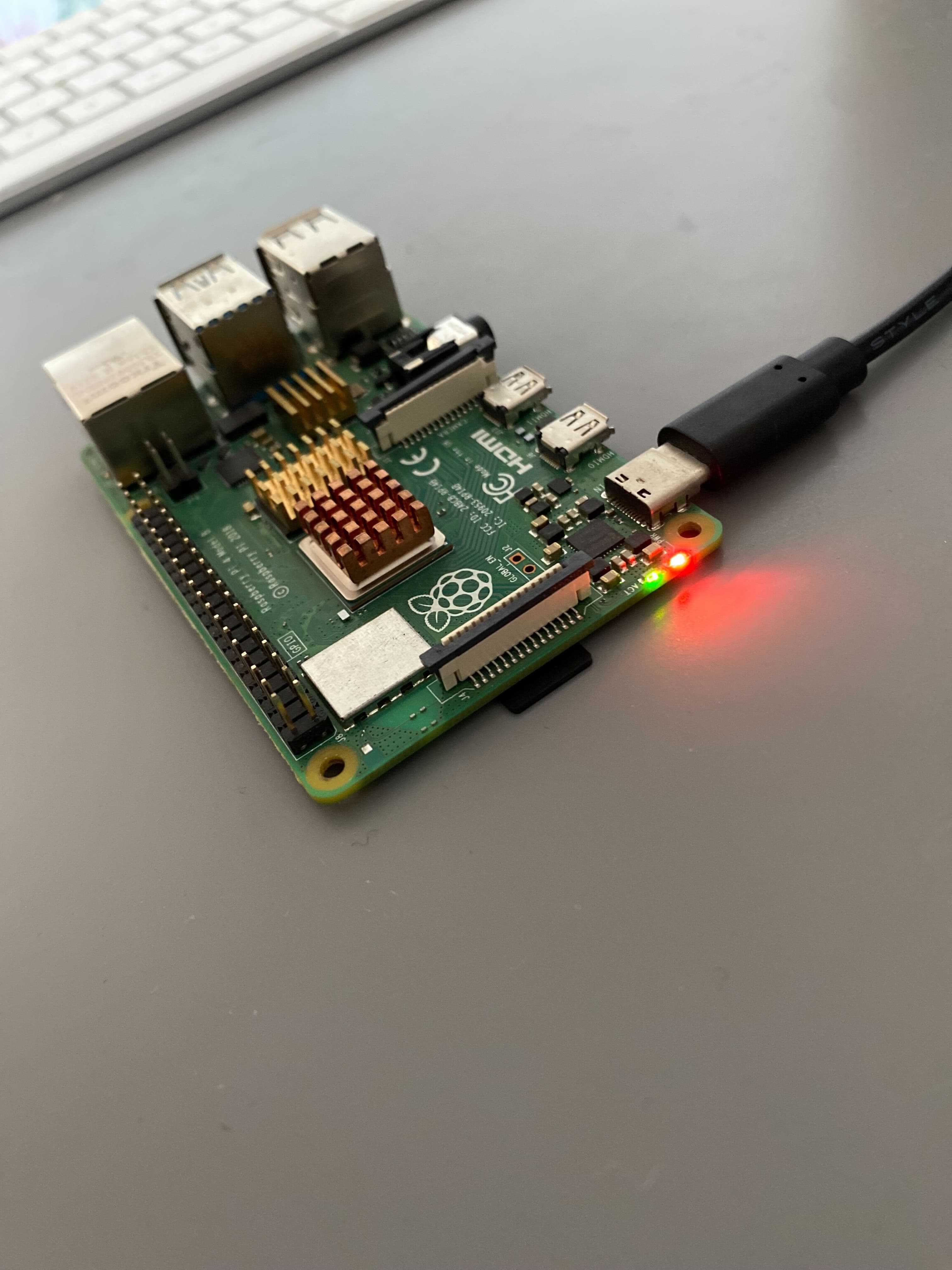
Got your hardware? Perfect! Once everything is connected and powered on, you should see the status LEDs light up:
Now let's dive in and get started by setting up the Raspberry Pi operating system!
Previous: Raspberry Pi Infrastructure Intro | Next: Raspberry Pi OS Setup